Make content
that converts.scales.sells.performs.
Turn a sentence into a professional AI video or slideshow — narration, visuals, captions, all handled. Then let TurboClip publish them to TikTok on autopilot.

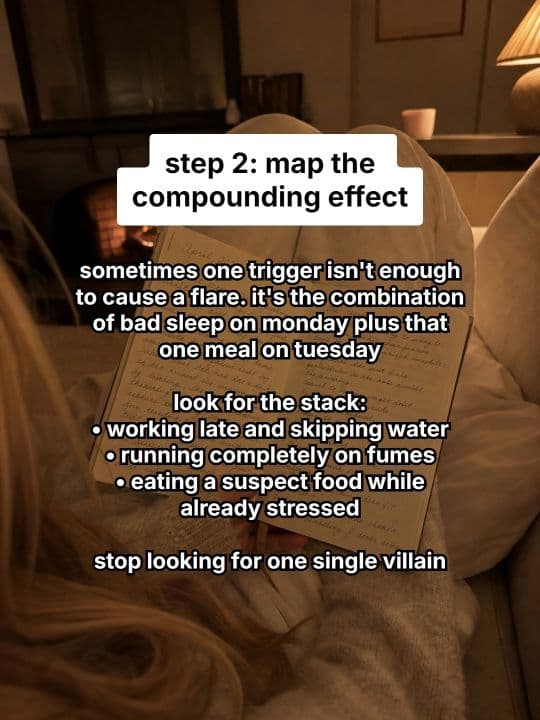
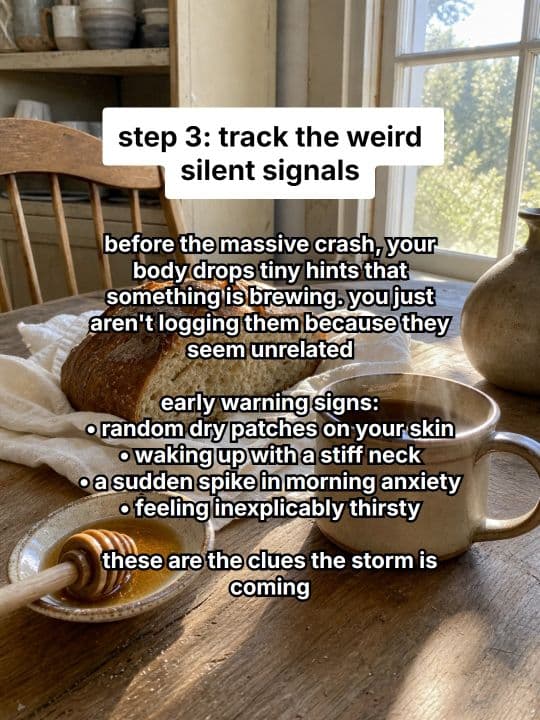
Every model. Every feature.
One subscription.
The newest AI models and a deep bench of production tools — video, ads, slideshows, editing, automation, and agent access — all inside TurboClip. Most tools do one of these.
You didn't get into content
to become a full-time editor.
One 60-second video eats an entire afternoon. Scripts, voiceovers, B-roll, captions, exports. Then you do it again tomorrow. And the algorithm wants three a day.
Your afternoon, gone.
Script. Record. Edit. Caption. Export. Then repeat for the next one — and the one after.
Or you hire it out.
Freelance editors, stock libraries, voice actors. It adds up fast — and none of them know your brand.
Consistency is the cheat code.
Everyone says "post daily." Nobody tells you how to sustain that for six months without burning out.
Four agents. One pipeline.
You write a sentence. Four specialized AI agents take it from outline to finished scenes — each tuned for its job, handing off to the next.
The Drafter
Researches your topic and structures a factual script in your chosen format — listicle, tutorial, story, explainer.
The Editor
Rewrites for tone, pacing, and platform. Applies hook strategies, trims filler, hits the duration target.
The Segmenter
Splits narration into precisely timed phrases. Picks emphasis words. Knows where each beat lands.
The Visual Director
Drafts a composition for every scene — visual variety up front, narrative coherence end-to-end.
All four run in minutes. You see every step — never a black box.
One sentence in.
Scroll-stopping video out.
No camera, no editor, no stock footage. Every clip below was generated from a single prompt — the kind you'd type in the box below.
“None of this was filmed — the presenter, the voice, the studio. A hyper-real woman mid beauty-shoot reveals she was never real, then walks out into the working studio: every cut generated in TurboClip from one script.”
Nobody in this ad exists.
Generated in minutes.
Polished like a studio.
Most AI tools stop at generation. TurboClip hands you a full multi-layer editor the moment your first draft is ready — on desktop or straight from your phone — so you can ship fast and still sound like you.
Speed of AI. Control of a pro editor.
TurboClip Studio is the full multi-track timeline editor built right in — so the last 10%, where taste lives, stays yours. Animate a title, regenerate scene 3, fade the music under your CTA, nudge a word's timing. Ship something that's still you, without ever leaving the tab.
Multi-layer timeline
Video, images, text, and audio on unlimited tracks — trim, split, mix, and fade like a pro editor.
Iterate without penalty
Per-scene regeneration with full version history. Try a wild direction, roll back instantly.
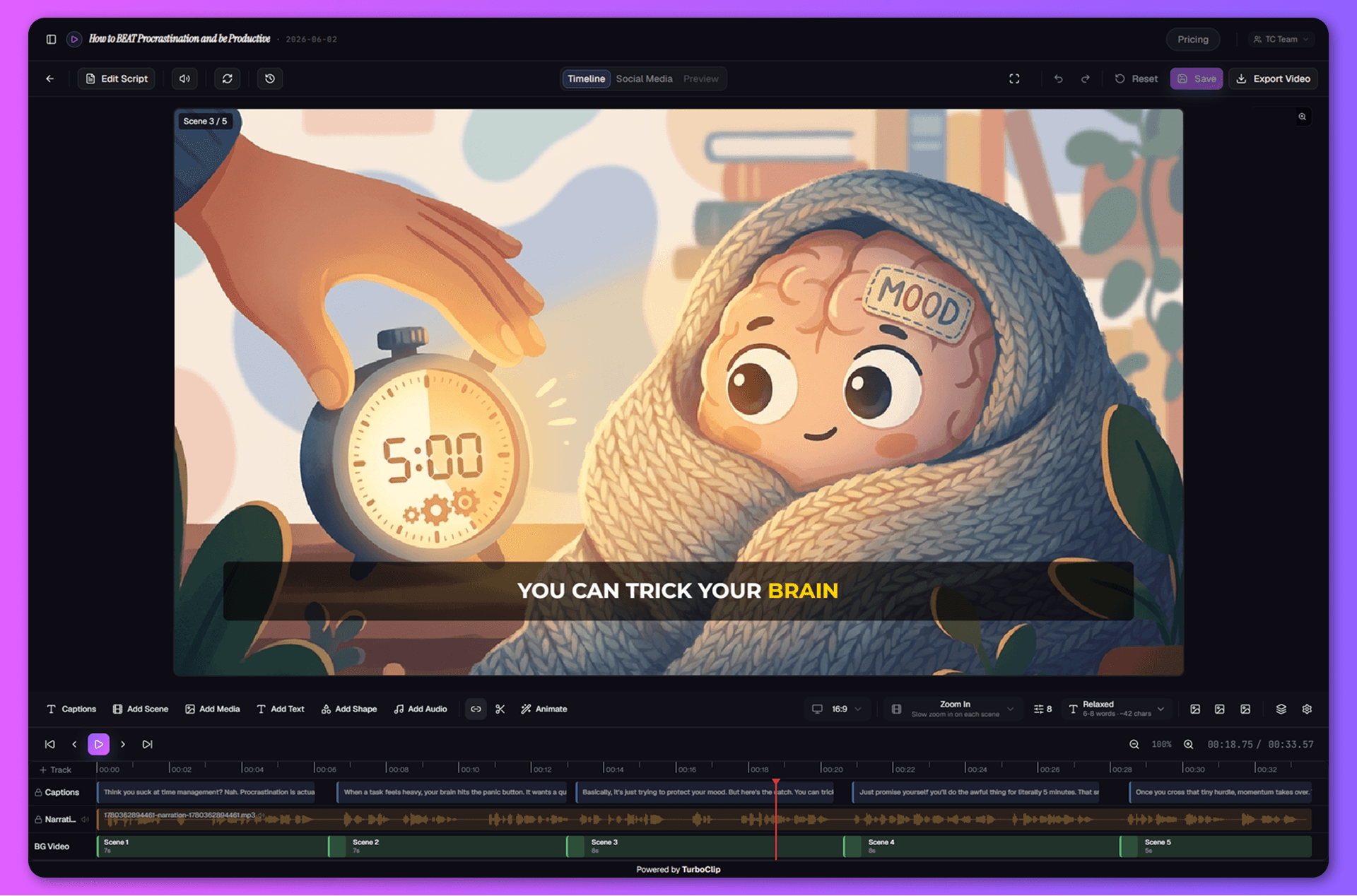
Keyframe animation with effects
Animate any layer — position, scale, rotation, camera zoom — with easing curves and one-click motion blur.
Static → video
Turn any scene into an AI video clip in one click.
AI Ads.
Perfected.
UGC is the highest-converting ad format on paid social — and the most painful to produce: brief a creator, wait days for footage, edit, then do it all again for every variation. So we built an engine that generates the whole spot for you — with some of the most realistic AI presenters in the industry — ready to test.
A voice for every vibe.
Preview before you commit.
Browse a full library of studio-quality AI voices. Tap play, hear your narrator, lock it in. Change your mind after generation? Regenerate with a different voice — script and visuals stay put.
- Multiple quality tiers — economy for drafts, premium for final cuts.
- Instant audio preview — no more guessing how a voice will read your script.
- Word-level caption sync, baked into every export.
Your brand. Your facts.
Not generic AI slop.
Upload product specs, course material, brand guidelines. Drop in reference images so every visual lands on-brand. TurboClip grounds the script in your facts and the visuals in your aesthetic — not whatever the model half-remembers from the internet.
- Brand-consistent visuals — start/end frames + up to 5 style references. Every scene matches your aesthetic.
- Data Sources (RAG) — upload docs, AI cites your facts.
- Pick your AI — mix & match top-in-class models per project.
Not just video.
A whole slideshow suite.
Photo carousels quietly out-reach video on TikTok and Instagram — cheaper to make, and the algorithm keeps pushing them. The catch? Building them by hand is death by a thousand slides. So we built a second engine that does the heavy lifting.
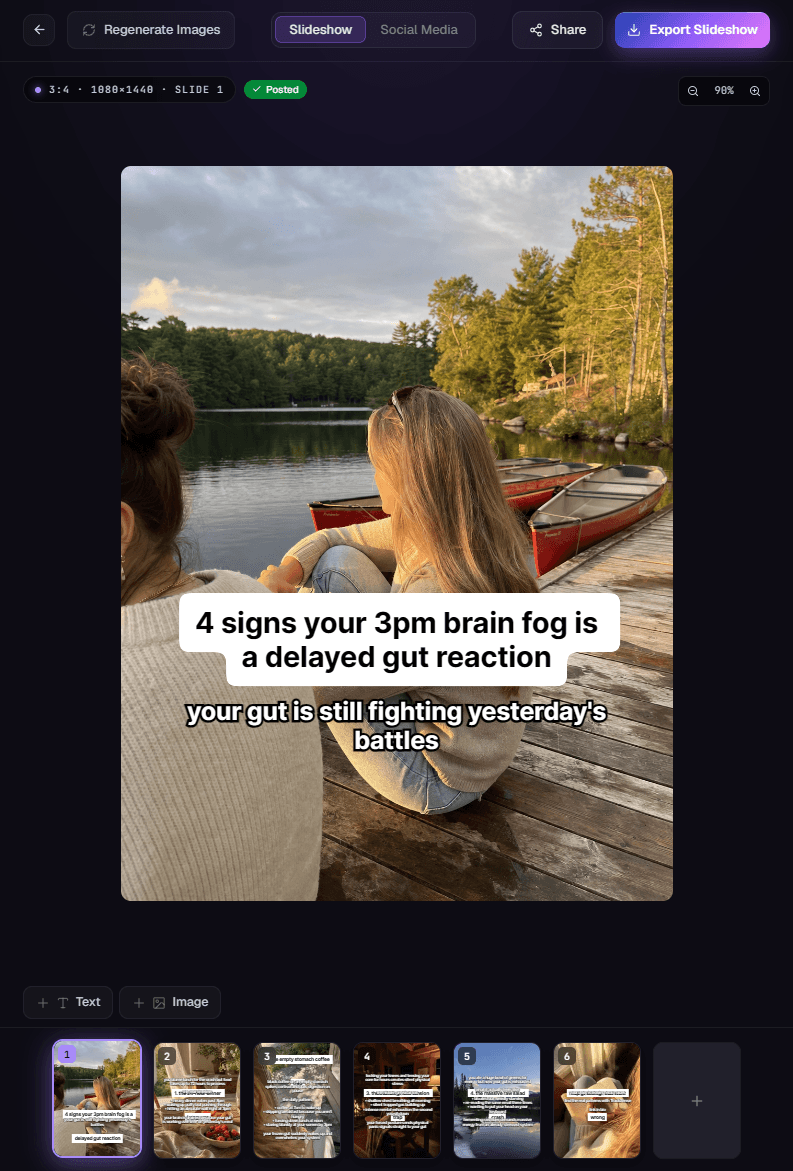
The hardest line to write.
Written for you.
Drop in an idea and the slideshow flow writes the scroll-stopping opener, lays out every slide, and generates the imagery to match — all on brand. You just refine and post.
- Scroll-stopping hooks, written for you — Not a fill-in-the-blank template — real, psychology-driven angles like “4 signs your 3pm brain fog is a delayed gut reaction.” The opener that earns the swipe.
- On-brand imagery, zero stock — Every slide gets an AI-generated background matched to your niche — fresh visuals each post, never the same recycled stock.
- Edit any slide — Rewrite the text, swap the image, reorder the deck — full per-slide control with version history. Speed of AI, polish of a designer.
- Post-ready for TikTok & Instagram — Exported at the right size, ready to publish. Want it hands-off? Automations can generate and post a fresh carousel for you daily — more below.
Generate it. Then ship it everywhere.
Thumbnails, captions, hashtags, every aspect ratio — generated alongside your video so you can post the moment it's done. And every asset lands in a media library you can organize and generate from directly.
AI Cover Images
Professional thumbnails with text overlay, generated from your scenes. Multiple style options, same brand feel.
Title, Description & Hashtags
Platform-optimized social copy auto-written from your script. One click, copy-all, paste, post.
Every Aspect Ratio
9:16, 16:9, 1:1, 4:5 — every major platform format from a single project.
Media Library & Collections
Every asset organized into collections — plus a built-in generator to create new AI images and video clips on the spot. No project required.
Set it up once.
Post forever.
Define your niche, tone, and style in plain English. TurboClip generates an entire content template — then drops fresh, on-brand slideshows into your TikTok inbox on the schedule you pick, ready to post in a tap. Stop missing your posting window — every post is queued and waiting when it's time.
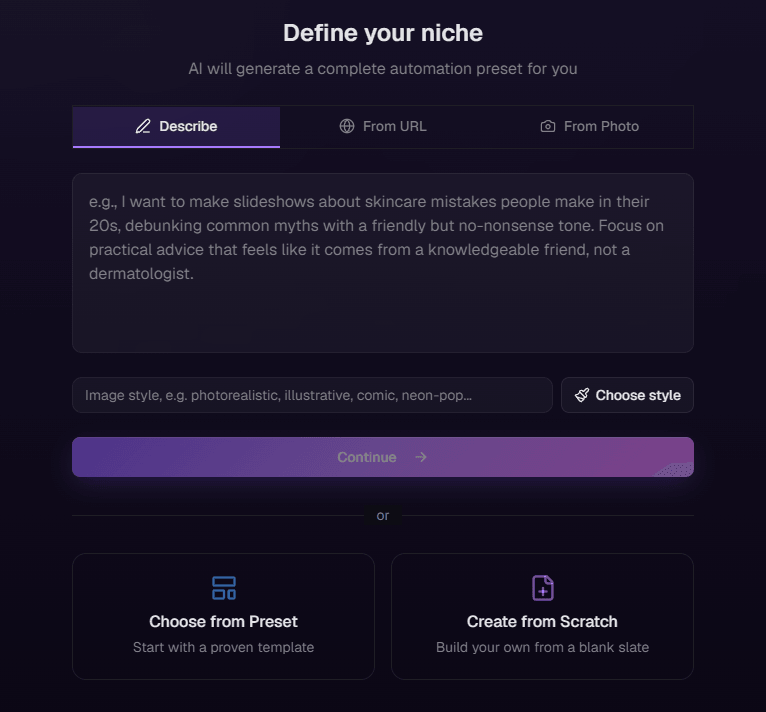
Describe your niche.
Get a full content engine.
Tell TurboClip what you make and it builds the entire template — narrative direction, format rules, image style, and caption design. Review, tweak, hit go.
- Three ways to start — describe your niche in plain English, paste a competitor or inspiration URL, or upload reference screenshots.
- AI Niche Generator — a complete, production-ready preset back in seconds.
- Or a ready-made template — handpicked for common niches, every field still yours to tweak.
Then it queues up.
On repeat. On brand.
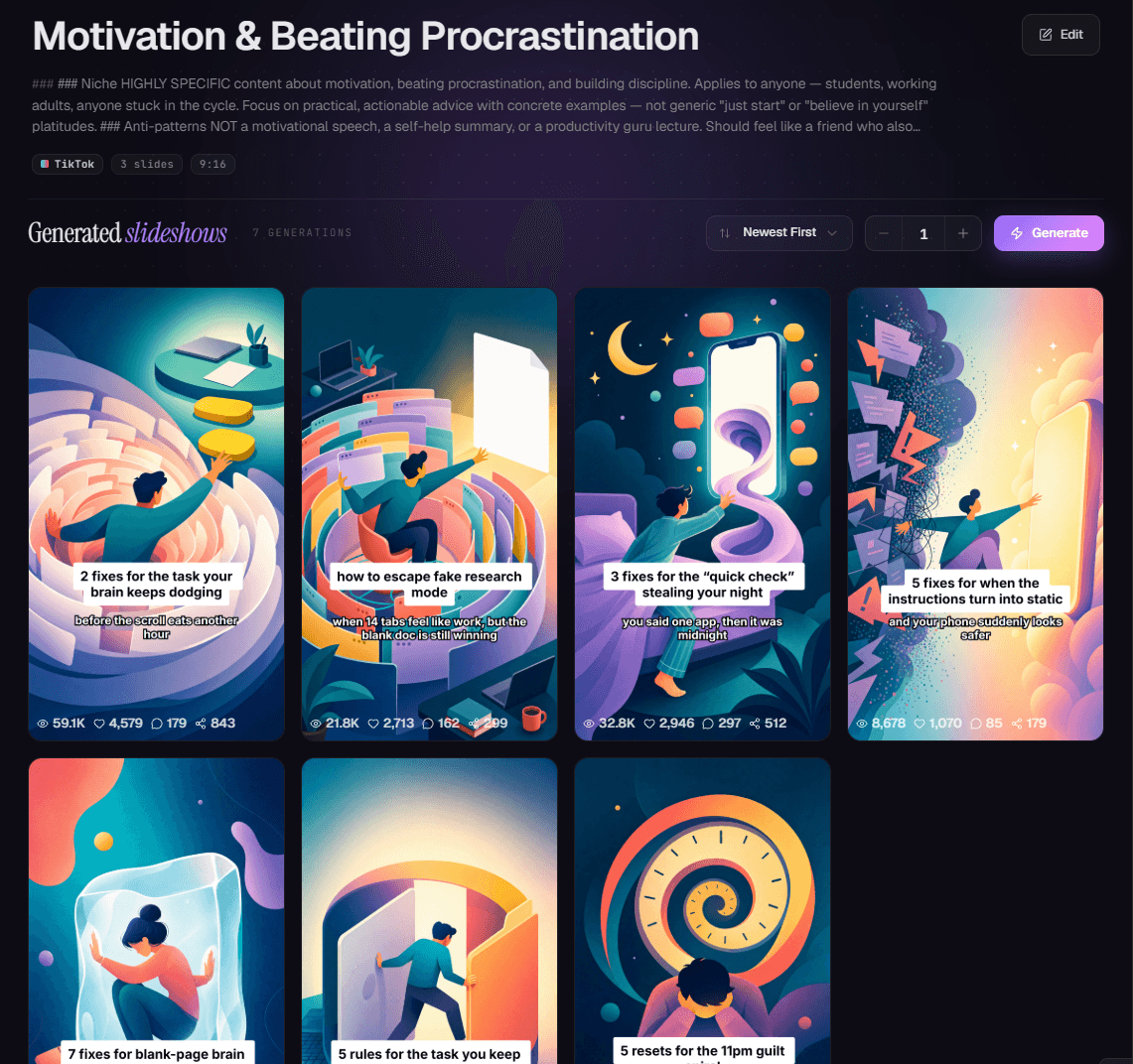
Connect TikTok once and pick your slots. Every slideshow your automation generates is queued and dropped into your TikTok inbox on schedule — a fresh angle each time. Come back to an inbox of ready-to-post drafts, each one a single tap from live.
- TikTok auto-scheduling — connect once; ready-to-post drafts land in your inbox on your weekly schedule (e.g. Mon–Fri · 9am / 3pm / 8pm), a tap from live.
- Every slideshow is unique — same brand, fresh angle, every single time.
- Analytics built in — views, likes, and shares per post to steer the next round.
- Run an agency? One automation per client niche — five brands, one operator, all on-brand.
The content engine for agents.
One connection through MCP, and TurboClip lives inside the chats you already use — Claude, ChatGPT, Cursor. No new app to learn: your AI just gains a content studio.
Your AI already writes the script. Now it ships the rest — a finished, ready-to-post video, UGC ad, or slideshow, handed straight back in the chat. No app-switching, no editor, no shoot.
Building a product instead of connecting an agent? The same engine is a REST API — typed schemas, a live sandbox, and the exact cost quoted before a credit moves.
Early signals from teams creating with TurboClip.
Reactions from our private-beta creators, agencies, and educators — the first wave putting TurboClip to work.
“I set the niche up once and now there’s a week of carousels waiting in my TikTok inbox most Mondays. I still rewrite the odd hook, but I’m not starting from a blank page.”
“One automation per client niche, so nothing bleeds between brands. Took an afternoon to set up properly — but in that same afternoon I got through a month of content for eight of them.”
“I uploaded my course notes as a data source half expecting it to ignore them. The explainers come back using my actual material, not whatever it assumed I meant.”
“With most tools you get one export and if it’s wrong, it’s wrong. Here I can go back in and redo the one scene that didn’t land — which I do more often than I’d like to admit.”
“I gave it a product photo and got back an ad with a presenter who actually speaks. The first one came out a bit stiff, but the third I’d genuinely run as a paid ad.”
“I type a sentence and a few minutes later there’s a finished captioned video sitting there. Getting started was always the bit that stopped me — now I’ve got more drafts than I can post.”
Powered by the best models in AI.
TurboClip isn’t a wrapper around one model. It routes every step to the model that does it best — OpenAI, Google, ElevenLabs, ByteDance — and the day a better one ships, it’s in your dropdown.
Studio-quality content.
Without the studio budget.
Know the exact cost before you spend a thing. Every plan is credit-based — pay per video, not per seat, with no surprise bills or locked-in video counts. Spend credits however you want, cancel anytime.
- Up to 7 AI video ads
- Up to 167 images
- Up to 40 slideshows
- Up to 33 short-form videos
- Up to 8 long-form videos
- Video models (MiniMax H3 · Gemini Omni Flash · Seedance 2.0 + 2.5 · Kling V3)
- SFX & background music
- TurboClip Studio
- Content automations
- TikTok auto-publishing & scheduling
- Data sources (RAG)
- API & MCP access
- Per-scene regeneration & history
- Unlimited exports & social tools
- Unused credits roll over
- Priority support
- Multi-brand team workspaces
- Early access to new models
- Highest-res video — Seedance 2.0 1080p
- Up to 23 AI video ads
- Up to 507 images
- Up to 121 slideshows
- Up to 100 short-form videos
- Up to 23 long-form videos
- Video models (MiniMax H3 · Gemini Omni Flash · Seedance 2.0 + 2.5 · Kling V3)
- SFX & background music
- TurboClip Studio
- Content automations
- TikTok auto-publishing & scheduling
- Data sources (RAG)
- API & MCP access
- Per-scene regeneration & history
- Unlimited exports & social tools
- Unused credits roll over
- Priority support
- Multi-brand team workspaces
- Early access to new models
- Highest-res video — Seedance 2.0 1080p
- Up to 49 AI video ads
- Up to 1067 images
- Up to 254 slideshows
- Up to 211 short-form videos
- Up to 48 long-form videos
- Video models (MiniMax H3 · Gemini Omni Flash · Seedance 2.0 + 2.5 · Kling V3)
- SFX & background music
- TurboClip Studio
- Content automations
- TikTok auto-publishing & scheduling
- Data sources (RAG)
- API & MCP access
- Per-scene regeneration & history
- Unlimited exports & social tools
- Unused credits roll over
- Priority support
- Multi-brand team workspaces
- Early access to new models
- Highest-res video — Seedance 2.0 1080p
- Up to 109 AI video ads
- Up to 2333 images
- Up to 556 slideshows
- Up to 461 short-form videos
- Up to 105 long-form videos
- Video models (MiniMax H3 · Gemini Omni Flash · Seedance 2.0 + 2.5 · Kling V3)
- SFX & background music
- TurboClip Studio
- Content automations
- TikTok auto-publishing & scheduling
- Data sources (RAG)
- API & MCP access
- Per-scene regeneration & history
- Unlimited exports & social tools
- Unused credits roll over
- Priority support
- Multi-brand team workspaces
- Early access to new models
- Highest-res video — Seedance 2.0 1080p
Questions, answered.

You'll be talking to the people who built it.
TurboClip is founder-run. Hit a wall, want a feature, or just want a second pair of eyes on your first ad? Real humans answer — not a ticket queue that forgets you by Monday.
Your next 10 videos
start with one sentence.
Pick a plan, type your first sentence, and watch a finished video render in minutes.
For agencies, creators, and reviewers — recurring payouts on every referred subscription, for their first 12 months.